“Your bio link is the only place your social audience can be turned into something you own.”
Quick answer
Bio-link traffic is your highest-intent traffic; do not waste it on a plain list of links.
Most people put a free link tool in their social bio and never think about it again. It works, in the sense that the links open. What it does not do is collect anything. Every visitor who taps through, looks around and leaves is gone for good, and you never learn they were there. A Systeme.io link in bio page fixes that quietly: it looks the same to a visitor, but it sits on your own funnel, it can carry an email box, and it feeds the same list your other pages feed. This is how to set one up and what to put on it.
What a bio page is really for
The bio link is the one clickable spot social platforms give you. Everything you post is pointing at it, which makes it the highest-intent traffic you have: these are people who just watched something of yours and wanted more.
Sending that traffic to a plain list of links wastes it. The page should do two things at once: get people to the thing they came for, and give the ones who are not ready to buy a reason to leave an email address.
What to put on the page
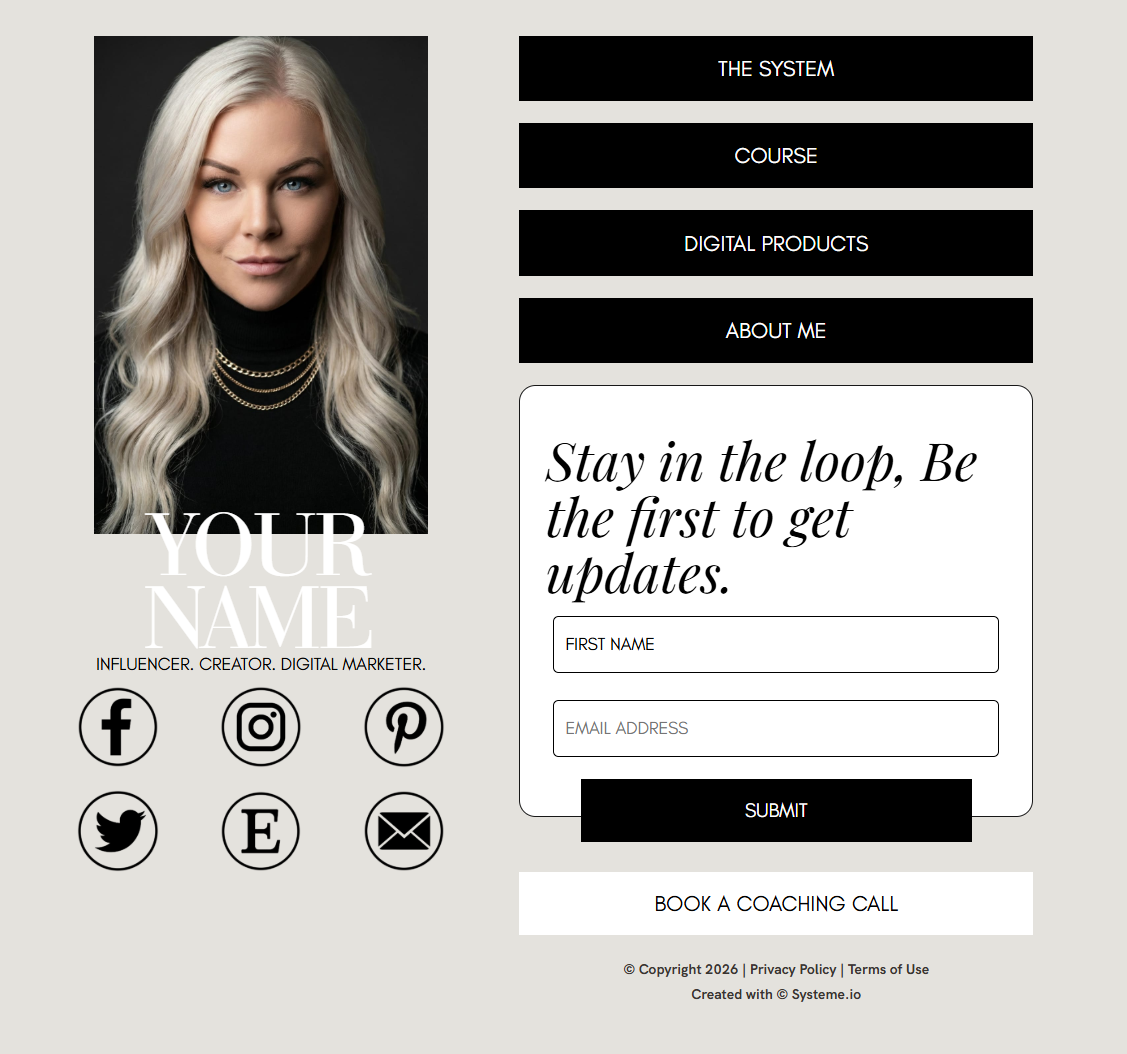
Your photo and name so people know they are in the right place. One line saying who you help and with what. Three to five buttons, in order of what you most want tapped. An email capture box with a specific reason to use it. Your social links last.
Three to five buttons is the sweet spot. Beyond that, people scan instead of choosing, and the tap rate on everything falls. If you have more offers than that, group them behind one button that leads to a page listing them.
Order the buttons by what you want most
The first button gets the majority of the taps, so it should be your main offer or the thing you are actively promoting this month, not your oldest product. Move it when your focus moves.
Label buttons with what happens, not with a category. Book a free call is better than Services. Get the free checklist is better than Resources. People tap what they can picture.
Build it as a funnel step in Systeme.io
Create a funnel with a single page and use it as your bio destination. Because it is a real funnel page, the email box connects to your list, and any automation you already run applies to the people who sign up there.
Give the page a clean address on your own domain if you have one. It looks more credible in a bio than a random subdomain, and it means you can change what the page contains without ever changing the link in your profile.
Check it on a phone, because that is where it lives
Almost every visitor arrives on a phone, often on a slow connection. Load your own page on mobile data and count the seconds. If your photo is a huge file, it will be the reason people bounce before anything appears.
Tap every single button yourself. Broken bio links are extremely common because people update an offer and forget the bio page still points at the old page.
The short version
- Bio-link traffic is your highest-intent traffic; do not waste it on a plain list of links.
- Include an email capture box with a specific reason to use it.
- Three to five buttons, ordered by what you most want tapped, labelled with what happens.
- Build it as a Systeme.io funnel page so signups feed the same list and automations.
- Test it on a phone on mobile data, and tap every button after any offer change.
Common questions
Is a Systeme.io bio page better than a free link tool?
It is better in one specific way that matters: you can capture email addresses and connect them to your list and automations. Free link tools are quicker to set up and perfectly fine if you only need links to open. If you plan to sell anything, owning the addresses is worth the extra half hour of setup.
How many links should be on a bio page?
Three to five. Enough that regular followers can find what they came for, few enough that a first-time visitor can decide quickly. If you genuinely have more, put the extras behind a single See everything button rather than stacking ten buttons that all get ignored.
Can I use my own domain for a link in bio page?
Yes, Systeme.io supports custom domains, so the page can sit on a short address you own. That is worth doing, because a bio link on your own domain looks more trustworthy and you can point it at different pages over time without ever editing your social profile.
What should the email box on my bio page offer?
Something narrow and immediately useful that relates to what you post about. A checklist, a template, a short guide. Do not offer updates or a newsletter, because nobody can picture what that is. The more specific the promise, the more addresses you collect from the same amount of traffic.
Want the buttons and the words done for you?
OfferConverter AI writes your bio-page headline, your button labels and the email offer that goes with them, based on your own offer. Create a free account with 5 AI credits and no card needed to start.
Free sample from 4 quick answers · plans from $49/month
About the author
Brittany Johnson
Brittany Johnson is the founder of OfferConverter AI. She builds conversion systems for coaches, course creators, and online sellers — and writes from what's working inside real offers, not theory.